Size chart app for Shopify
Help every shopper pick the right size
Easy Size Charts adds clear size charts and a size finder to your product pages from the theme editor, with no code to touch.
- $0to start, with up to 5 size charts
- 28ready-made chart templates
- 5ways to show a chart
Size chart
Men's Classic Crew Tee
| Size | Chest | Shoulder | Length | Sleeve |
|---|---|---|---|---|
| XS | 86 | 41 | 66 | 60 |
| S | 92 | 43 | 68 | 61 |
| M | 98 | 45 | 70 | 62 |
| L | 104 | 47 | 72 | 63 |
| XL | 110 | 49 | 74 | 64 |
| XXL | 116 | 51 | 76 | 65 |
Garment measurements in cm. The shopper picked M, so its row is highlighted.
Measure around the fullest part of your chest and keep the tape level.
Why it matters
Clear sizing, without the busywork
Unclear sizing leads to returns and questions from customers. A good size chart answers those questions on the product page, and this app keeps that chart easy to set up and easy to keep right.
-
No theme code
Add the Size chart block in the theme editor, put it where you want it and save.
-
The right chart on each product
Assign by product, collection, tag, vendor or product type, or use one chart for the whole store.
-
Fits your store's look
Set colors, fonts and borders, or add your own CSS, so the chart looks like part of your store.
-
Private by design
Measurements stay in the shopper's browser, and the size is worked out on their device.
Features
Everything a good size chart needs
Build a chart once, show it on the right products and see how shoppers use it. These are screens from the app.
Templates
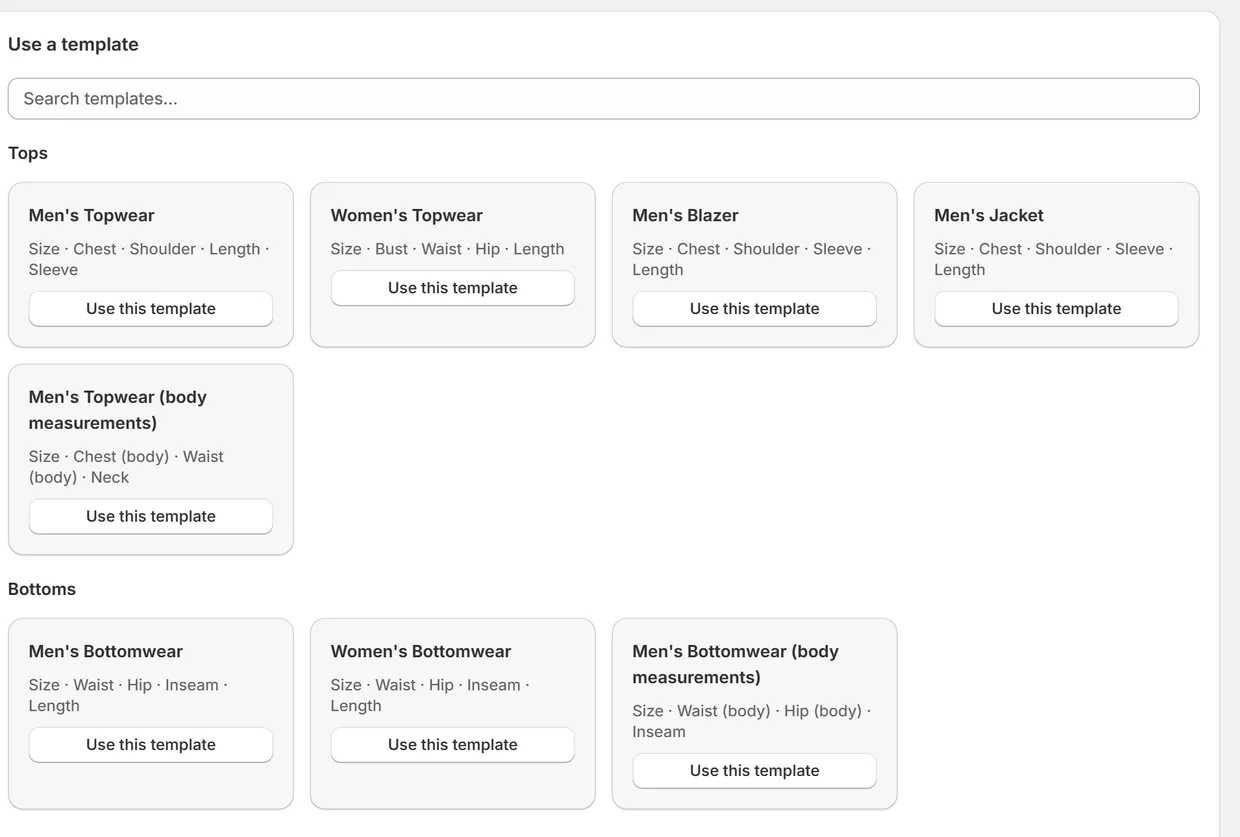
Start from a template, or bring your own chart
Choose from 28 templates for tops, bottoms, dresses, footwear, kids, jewelry, pets and more. If you already have charts, import them from a spreadsheet, CSV or Excel file.
Editor
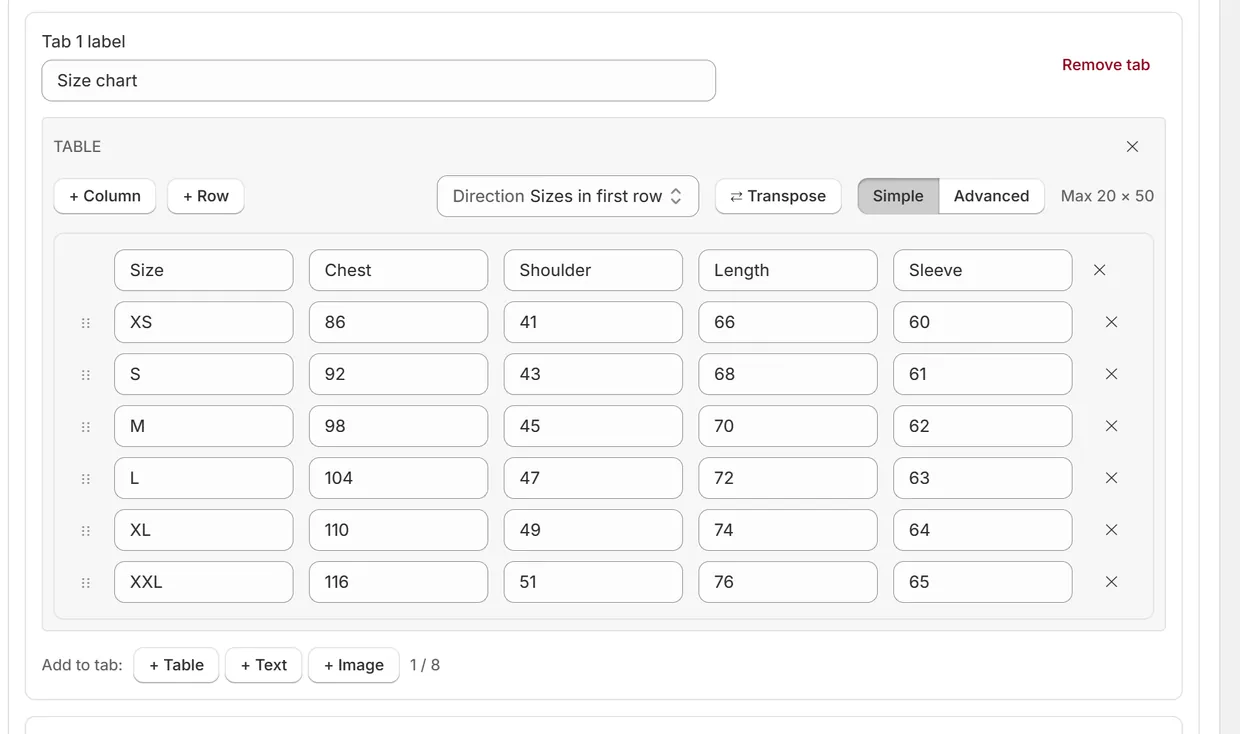
Edit your table like a spreadsheet
Add rows and columns, drag rows into place and swap rows with columns. Every save is kept, so you can restore an earlier version of any chart.
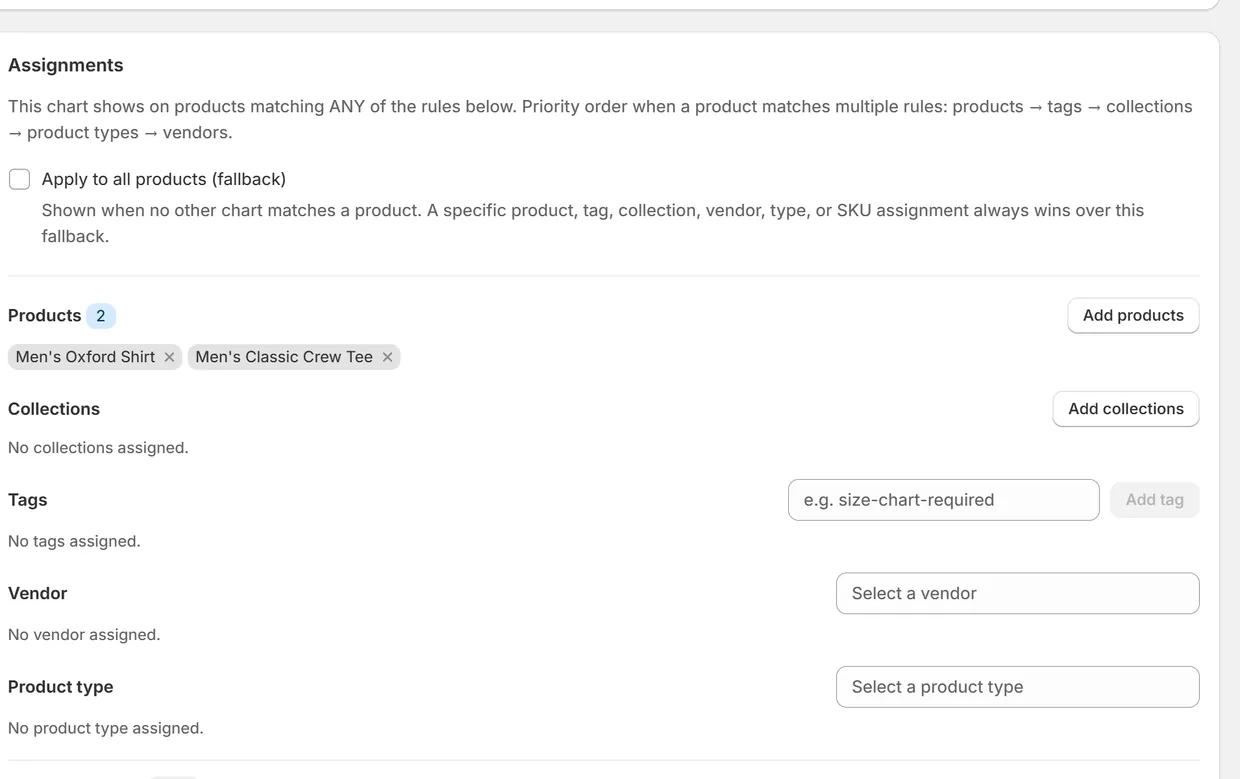
Assignments
Show each chart on the right products
Assign a chart to products, collections, tags, vendors or product types, or make it the fallback for your whole store. If a product matches more than one chart, a clear priority order decides which one shows.
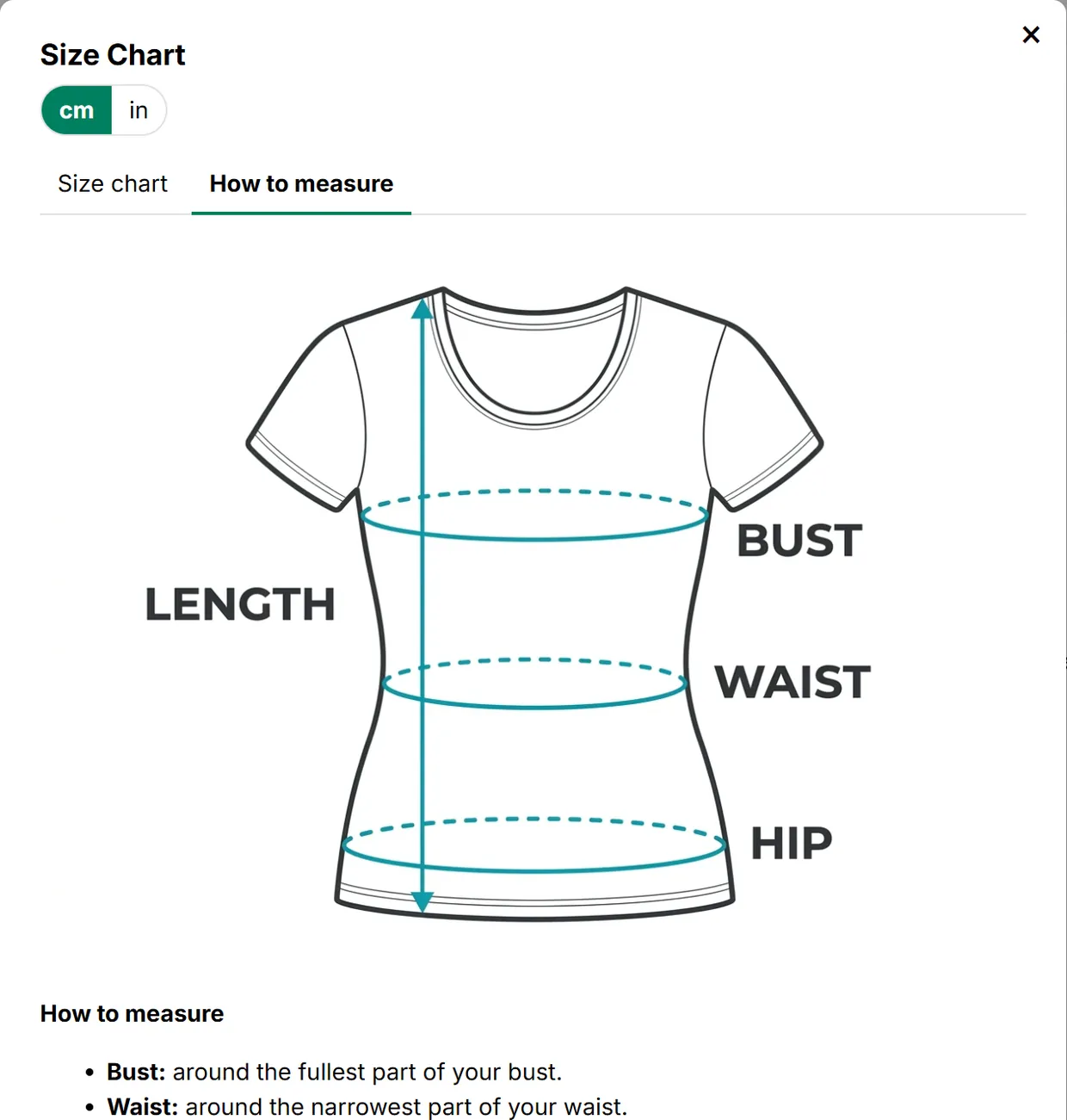
How to measure Premium and up
Show shoppers how to measure
Add images, videos and tabs next to your size table, so shoppers can measure themselves before they choose a size.
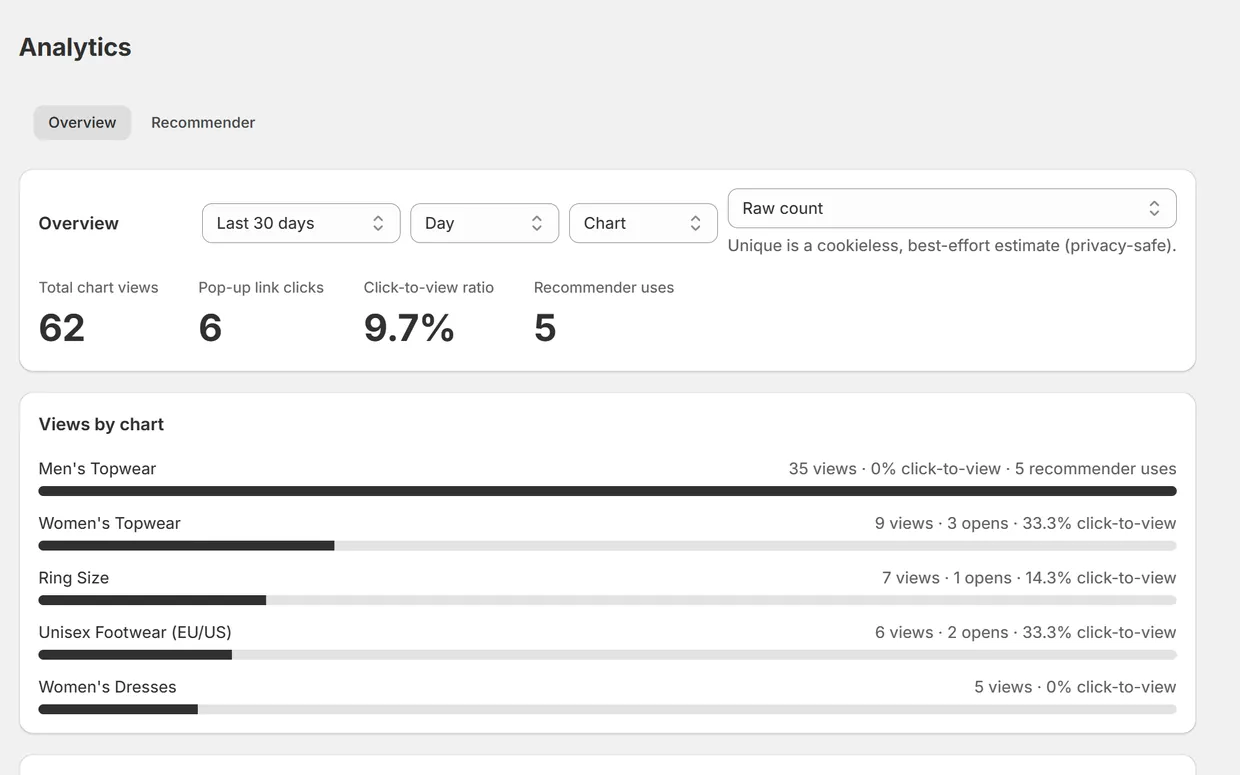
Analytics
See how shoppers use your charts
Check views, clicks and size finder uses for each chart. It's all counts, with no shopper data behind them.
-
cm and inches
Shoppers switch units with one tap, and every number in the chart converts on the spot.
-
International sizes Premium and up
Convert between US, UK, EU, JP, AU and CN sizes inside the chart.
-
Highlights the picked size
When a shopper picks a size on the product page, the matching row in the chart lights up.
-
A real theme app block
It works with Online Store 2.0 themes such as Dawn, and you place it in the theme editor.
Size finder
A size suggestion from the shopper's own measurements
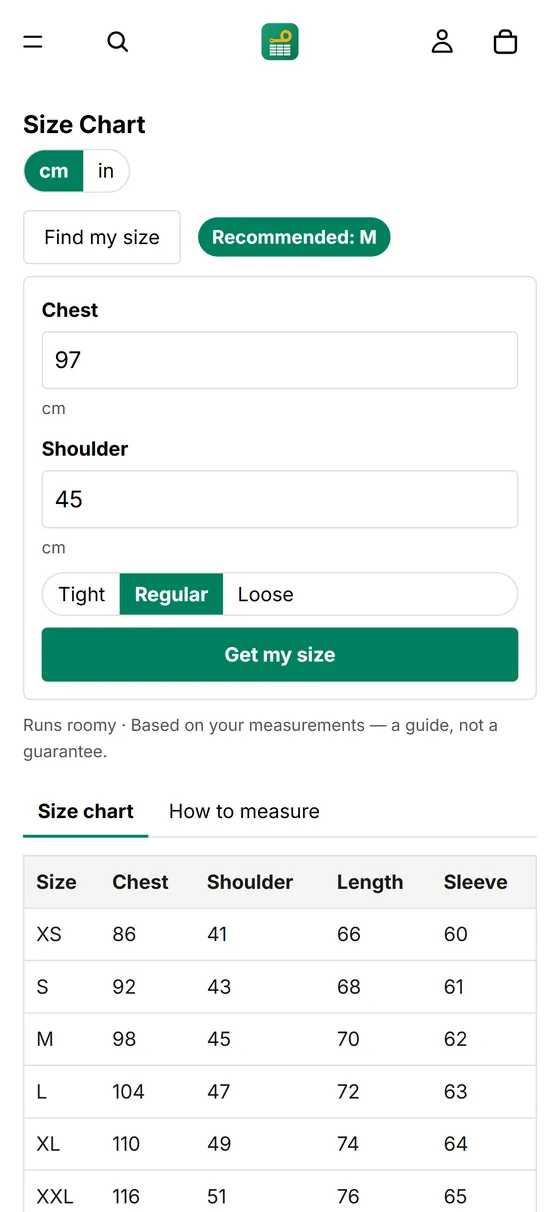
Shoppers tap Find my size, enter a measurement and choose how they like their clothes to fit. The app compares their numbers with your chart and suggests a size.
- Tight, Regular or Loose
Let shoppers choose their fit, or set one fit for the whole chart.
- cm or inches
Shoppers measure in whichever unit they know.
- Private by design
Measurements stay in the shopper's browser. The app only counts which size was suggested.
Included in Premium, Plus and Ultimate
Try it with a sample chart
Find my size
Men's Classic Crew Tee · body measurements
Chest (body) in cm
- XS84
- S90
- M96
- L102
- XL108
- XXL114
Display styles
Show the chart the way your store needs it
Pick a style in the theme editor. Try each one below, then pick a size to see its row light up. This is a preview with sample data, and on your store the block sits inside your own theme.
| Size | Bust | Waist | Hip | Length |
|---|---|---|---|---|
| XS | 80 | 62 | 88 | 88 |
| S | 84 | 66 | 92 | 90 |
| M | 88 | 70 | 96 | 92 |
| L | 94 | 76 | 102 | 94 |
| XL | 100 | 82 | 108 | 96 |
A Size guide button opens the chart in a popup.
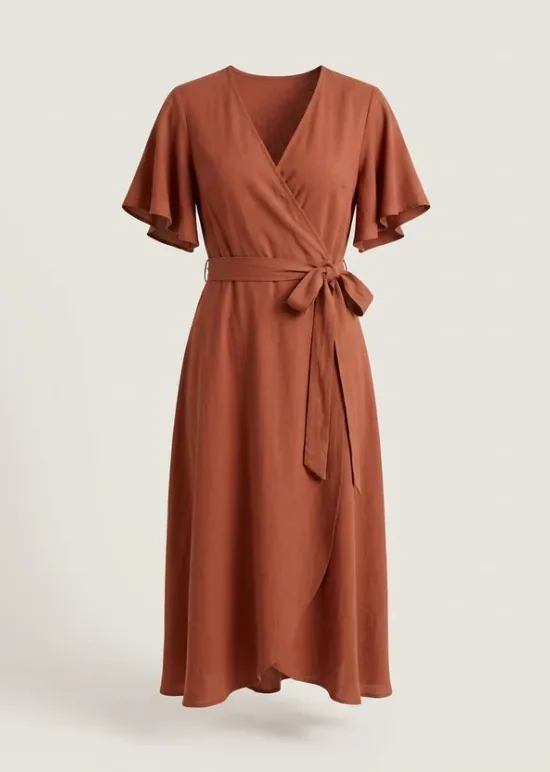
Wrap Midi Dress
$79.00
Size: M
Size chart
On phones
Just as clear on a small screen
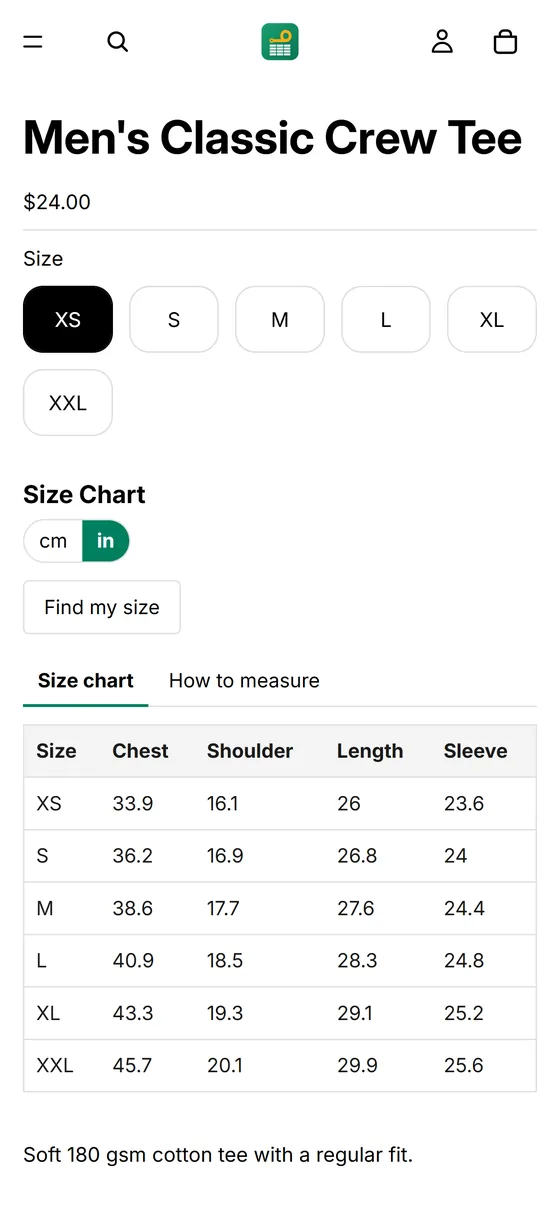
Size buttons, the chart and Find my size all fit a phone, and popups open full screen. Shoppers switch units with a tap and see the result straight away.
How it works
Three steps to your first chart
Install the app
Add Easy Size Charts to your store from the Shopify App Store.
Create a chart
Pick one of 28 templates or import your own, then choose which products show it.
Add the block
In the theme editor, add the Size chart block to your product page and save.
Pricing
Start free, upgrade when you need more
Paid plans come with a 14-day free trial and are billed through Shopify. Prices are in USD.
-
Free
$0
Free to use
- Up to 5 size charts
- Size tables and text blocks
- cm and inch switch for shoppers
- Inline, popup, link or button display
- Assign by product, collection or tag
- Ready-made size chart templates
-
Size finder starts here
Premium
$6.99 / month
or $67 / year
- Everything in Free
- Up to 10 size charts
- Size recommender from measurements
- Images, videos and tabs
- International size conversion
-
Plus
$12.49 / month
or $119 / year
- Everything in Premium
- Up to 20 size charts
-
Ultimate
$24.49 / month
or $235 / year
- Everything in Premium
- Unlimited size charts
FAQ
Questions merchants ask
Something else? Email janvi2016kumari@gmail.com.
Do I need to edit my theme's code?
No. You add the Size chart block in the theme editor. It needs an Online Store 2.0 theme, such as Dawn, because older vintage themes don't support app blocks.
What do I get on the Free plan?
Up to 5 size charts with tables and text, the cm and inch switch, and the ready-made templates. Images, videos, tabs, international conversion and the size finder start on Premium.
What happens to a shopper's measurements?
They stay in the shopper's browser, and the suggested size is worked out on their device. The app only counts which size was suggested, with nothing that identifies the shopper. See the privacy policy.
Which size systems can it convert?
US, UK, EU, JP, AU and CN. Conversion is included in Premium, Plus and Ultimate.
Can I use charts I already have?
Yes. You can import a chart from a spreadsheet, CSV or Excel file, then edit it in the app.
What if a product matches more than one chart?
A priority order picks one: products come first, then tags, collections, product types and vendors. A store-wide chart is only used when nothing else matches.
How does billing work?
Plans are billed through Shopify, on your Shopify invoice. Paid plans start with a 14-day free trial, and you can choose to pay monthly or yearly.
Add your first size chart today
Start free with up to 5 size charts. Paid plans come with a 14-day free trial.
Install Easy Size Charts